See every accessibility issue in your PDF before you pay a dollar.
Upload a PDF and get a full audit, free: every issue found, explained in plain English. Fix them automatically at a flat $0.50 per page, or hand-finish anything yourself in the built-in Tag Editor. No quote forms, no sales calls, no minimums.
- Free full audit on upload: every issue, before you pay
- $0.50 per page, flat and public, no quote call
- Minutes, not weeks: a typical 10-page document is done in minutes
- Scanned documents handled, with OCR built in and no separate step
- Judged by screen readers, not just checker scores
Minutes, not weeks.
Traditional remediation is a mail-it-away service measured in days or weeks. This is upload, process, download.
- 01UploadAny PDF from any source, including paper scans and faxed forms.
- 02Read the free auditEvery issue found, explained in plain English. The audit is the demo, you see it all before spending anything.
- 03Remediate at $0.50/pageOne click. Download the file plus a validation report you can keep on file as evidence.
A public per-page price, on the website.
The industry norm is $5 to $10 or more per page behind a sales call, and outsourced hand-remediation runs $4 to $11.50 a page. Ours is $0.50, published, pay as you go.
You only pay for pages we process. The audit that tells you whether you need us at all is free.
Judged by screen readers, not just scores.
Checkers have blind spots, and a passing score can still read wrong aloud. We build and test against what assistive tech actually announces.
What one click actually does.
- Tags complete document structure: headings with correct levels, paragraphs, lists, tables, links
- Repairs reading order so screen readers move through the page the way a sighted reader does
- Alt text written for images, and charts get real descriptions with type, values, and trend, not just “a chart”
- Bookmarks generated automatically, including from bold section labels most tools miss
- Fillable forms stay fillable: fields, labels, and tooltips survive remediation
- Duplicate text layers, decorative clutter, and broken metadata cleaned up automatically
- Document title and language set correctly for every file
- Scanned documents handled: OCR built in, no separate step
The documents other tools choke on, fixed at speed.
Scanned archives, complex tables with merged cells, multi-column reports, full AcroForm field sets, hundred-page procurement packages. The editor is built to move through them fast: OCR on the way in, issues checked live as you work, and a real reader that announces the page the way assistive tech will. Runs in the browser, nothing to install, works on any PDF from any source.
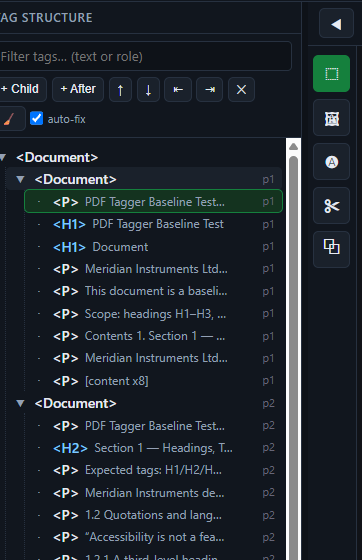
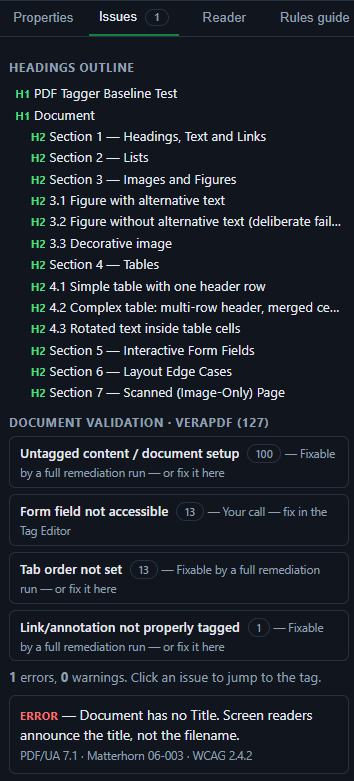
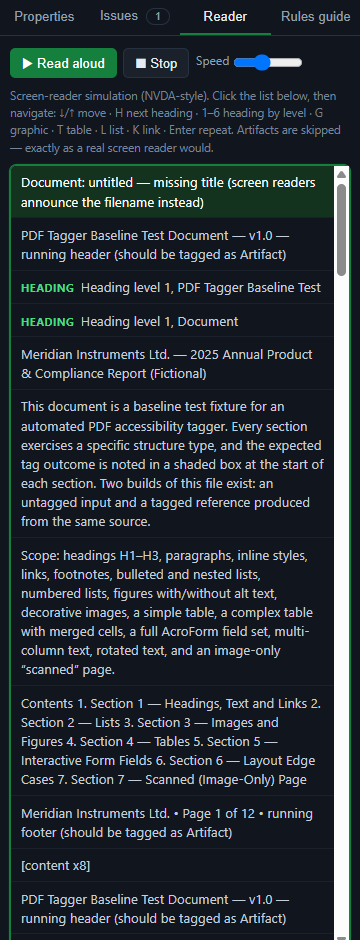
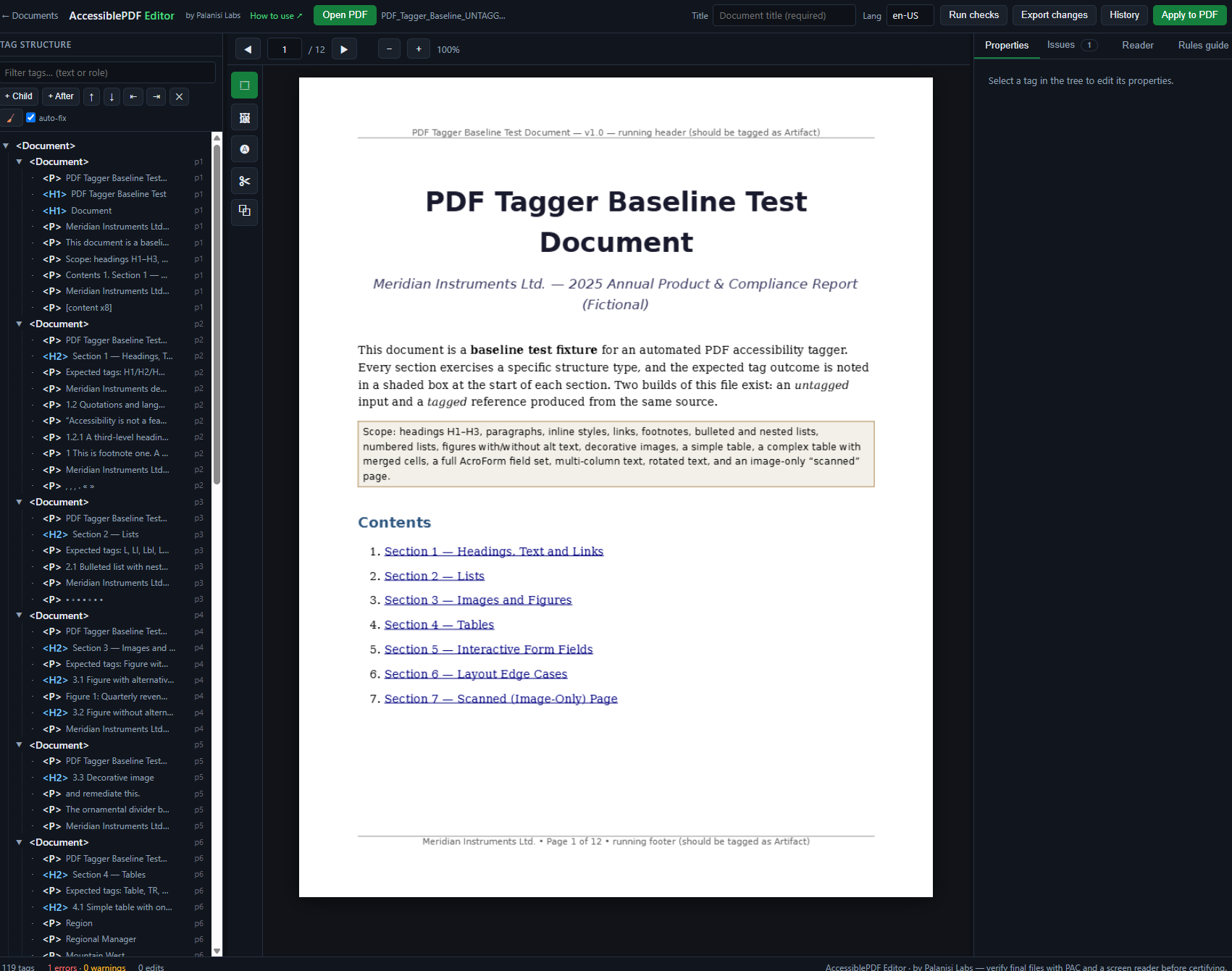
- Visual tag tree beside the live page: click content to find its tag, click a tag to see its content
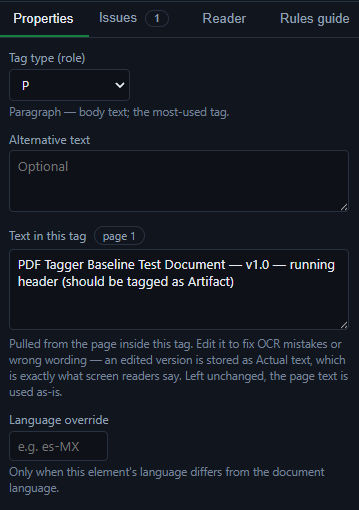
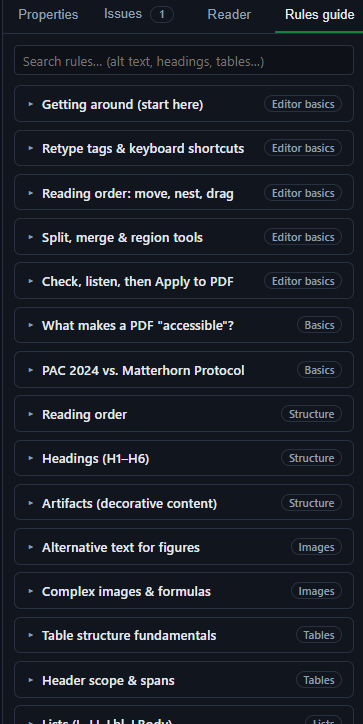
- Full structure editing: retype roles, reorder reading order with arrow keys, add, merge, and delete tags
- Smart splits: by line, at a line, into words, and one-click “bold lead-in to heading” that splits exactly where the font changes
- Drag a region to tag a figure or mark decoration as artifact instantly
- Form tools: create seven field types from a tag’s region, link existing fields, write tooltips
- Table editing: header scope, column and row spans. Alt text, actual text, and language per element
- Apply to PDF writes your edits into the real file, with bookmarks and the PDF/UA identifier stamped
- Version history, exportable change log, sessions autosave and resume. Flat monthly price, unlimited documents and applies, no per-page charges
Honest positioning.
No tool can guarantee legal compliance, and we do not claim to. We produce standards-conformant documents with evidence, which is what auditors and coordinators actually ask for. We target WCAG 2.1 AA, PDF/UA-1, and Section 508, and we are built for ADA Title II demand.
Start with the free audit. Decide after.
Name, email, password. That’s it. Upload a PDF and see every accessibility issue at no cost. Pay as you go from there, and cancel whenever you want.
Create your account