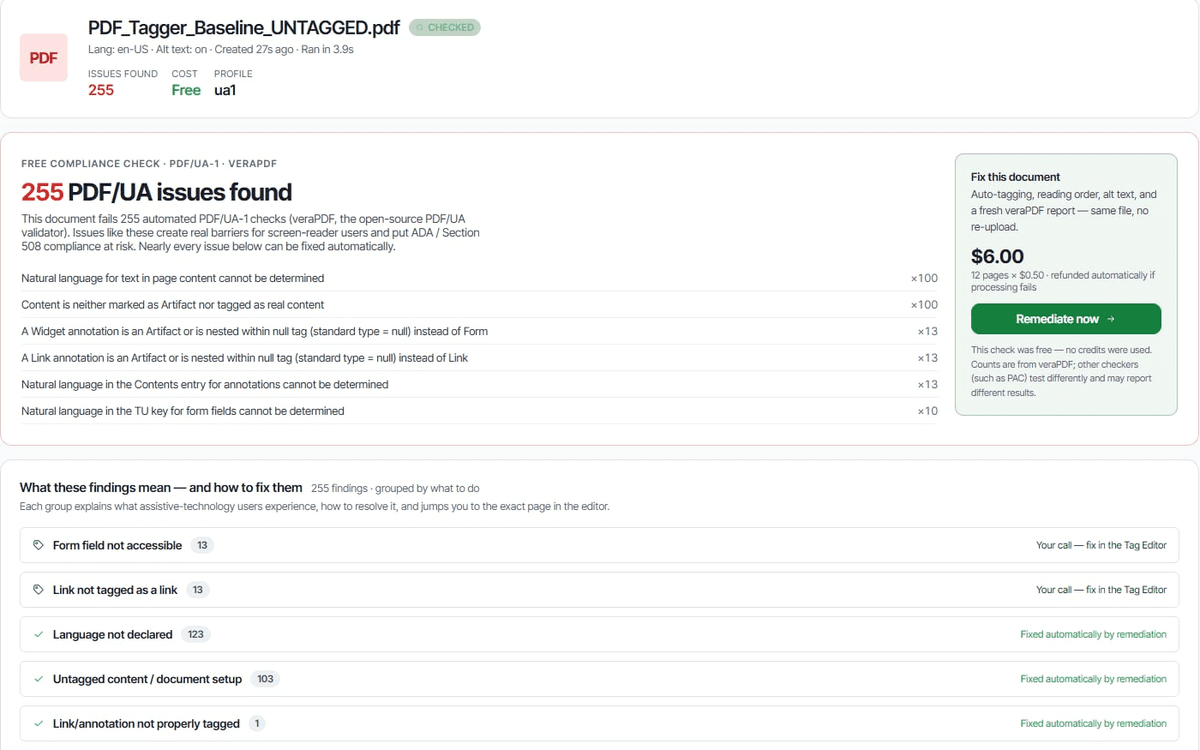
Upload a PDF. Get back an accessible one — auto-tagged, alt-text generated, reading order rebuilt — remediated for WCAG 2.1 AA, PDF/UA-1, and Section 508, with a PAC validation report you can hand straight to your auditor. Built for ADA Title II compliance. No quote forms, no sales calls.
Most teams burn weeks remediating a single 50-page PDF by hand. AccessiblePDF compresses that into minutes with no loss in fidelity.
Tag structure, repair reading order, generate alt text, fix contrast — across thousands of pages, in parallel.
Drop a folder. Connect SharePoint or Drive. Watch every document scan, score, and remediate without your team lifting a finger.
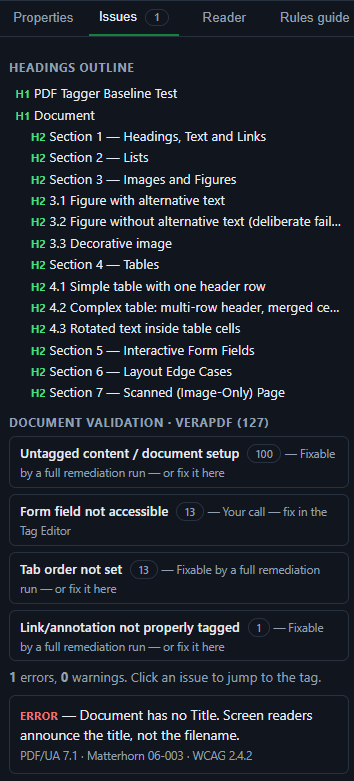
See exactly what assistive tech sees — heading outline, table semantics, alt text — before you ship a single file.
We map findings to the exact clause your auditor cites. Export an evidence-grade report with every fix versioned.
Your CRM, your SharePoint, your old DAM “nobody knows how to update” — we tie them all in. No rip and replace.
SharePoint, Drive, Box, S3, or just drag-and-drop. Folder structure preserved.
Every document analyzed against every applicable standard in seconds, not days.
One click applies tags, alt text, contrast fixes, reading order — diffed and reviewable.
Reviewers sign off. Files write back to source. Audit log captures every change.
Most tools ask you to take their word for it. We hand you the proof — and tell you exactly what to check before you publish.
Each remediation ships with an independent PAC (PDF Accessibility Checker) report — the validator auditors actually use. Hand it over as evidence instead of taking our word for it.
An itemized, plain-language list of exactly what changed — structure, alt text, reading order, fonts. No black box.
Metered at $0.50 per page, no minimums or seat fees. If a document fails on our end, those pages are automatically refunded to your balance.
Automated remediation isn't a rubber stamp. We flag what to double-check so you stay in control of what ships.
You pay for what we actually process — every page metered, no hidden seat fees, no “documents per month” caps that punish big jobs.
The standards everyone cites, what they actually require of a PDF, and how AccessiblePDF handles each.
The Americans with Disabilities Act (ADA) requires that information be usable by people with disabilities — and that includes the PDFs you publish or send. In practice, courts and the U.S. Department of Justice treat the WCAG guidelines as the yardstick. A PDF counts as accessible when it is properly tagged, has alternative text for images, a correct reading order, a document title and language, and passes an accessibility checker. AccessiblePDF remediates your PDFs to the PDF-applicable parts of WCAG 2.1 AA and includes a PAC validation report — automated remediation that you should still review before publishing.
Section 508 of the Rehabilitation Act requires U.S. federal agencies — and the vendors who supply them — to make electronic documents accessible. The 2018 Refresh adopts WCAG 2.0 Level AA as the technical baseline. For a PDF that means tagged structure (headings, lists, tables), alt text, a logical reading order, a document title and language, and bookmarks for longer files. AccessiblePDF tags and remediates PDFs for Section 508 and WCAG, and gives you a PAC report you can hand to your 508 coordinator.
WCAG (Web Content Accessibility Guidelines) 2.1 is the international standard from the W3C, and Level AA is the conformance level most laws and procurement rules reference. For fixed-layout PDFs, the PDF-applicable subset of WCAG 2.1 AA covers structure, alt text, color contrast, reading order, language, and titling — a few criteria like reflow do not apply to PDFs. AccessiblePDF remediates to that subset and validates every file with PAC.
ADA Title II covers state and local governments. In 2024 the DOJ issued a rule setting WCAG 2.1 Level AA as the required standard for their websites and digital documents, with compliance deadlines in 2026 and 2027 depending on population size. That makes remediating existing PDF archives a near-term priority for agencies and their contractors. AccessiblePDF is built for exactly that — bulk PDF remediation at a flat $0.50 per page, with no quote forms.
Yes. Every file AccessiblePDF remediates comes with an itemized, plain-English summary of what changed — tags and reading order, alt text, document title and language, bookmarks, and font/Unicode fixes — mapped to the WCAG success criteria each step targets, plus a PAC validation report so you or your auditor can verify it independently.
The industry-standard tool is PAC (the PDF Accessibility Checker), which tests against PDF/UA and the WCAG criteria. AccessiblePDF runs validation on every document and includes the PAC report with your download, so you have evidence on hand. As with any automated remediation, we recommend a human review before you publish.
Every piece of the stack underneath AccessiblePDF is a name your security team has already cleared somewhere else.
Hosted in Google Cloud (us-central1 / us-west2) with managed TLS and DDoS protection. PCI-compliant card payments via Stripe — we never see or store card data. Every remediated PDF is validated by veraPDF and shipped with a PAC (PDF Accessibility Checker) report you can verify independently.
Ship an accessible document portfolio — WCAG 2.1 AA, PDF/UA-1, Section 508 — this week.
Get started